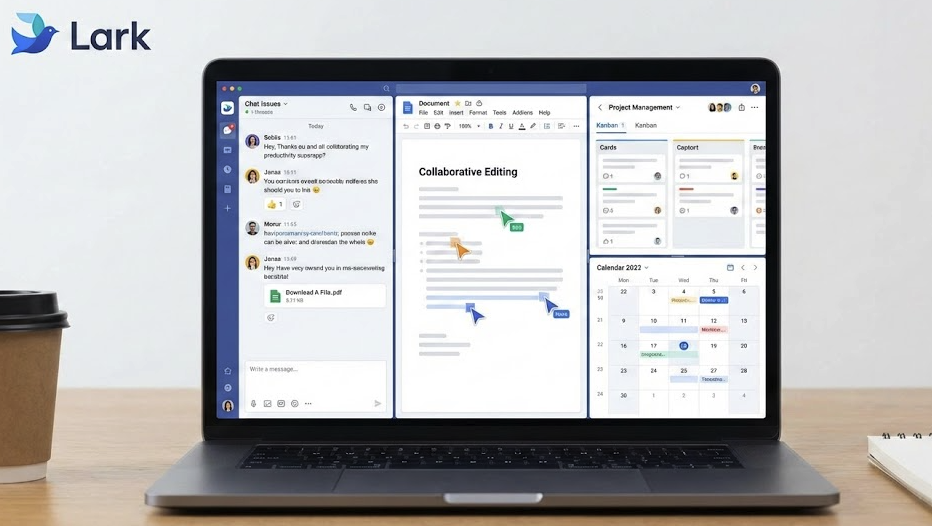
We are constantly evaluating how to make our workdays smoother, which is why we are excited to introduce the Lark productivity superapp as a new, complementary addition to our digital toolkit. While Google Workspace remains our foundation, this new platform offers a unique approach to handling the high-speed demands of modern collaboration.
(Caption: The Lark productivity superapp unifies chat, docs, and meetings in one window.)
Why We Are Introducing the Lark Productivity Superapp
You might be asking, “Don’t we already have Google Workspace?” The answer is yes, and Google Workspace remains our digital headquarters. It is the bedrock of our file storage, our official email record, and our long-term documentation. We aren’t changing that foundation.
However, research shows that the average employee switches between apps 1,200 times a day (Source: Harvard Business Review). This constant context switching is a productivity killer.
To combat this, we are opening the door to the Lark productivity superapp. It fuses chat, scheduling, project management, and video conferencing into a single, mobile-friendly interface, designed to reduce the friction of moving between different apps.
3 Features of the Lark Productivity Superapp That Will Transform Your Day
We are not mandating a switch, but we are inviting you to explore. Here are three specific features within Lark that made us sit up and take notice:
1. Magic Share: The End of “Can You See My Screen?”
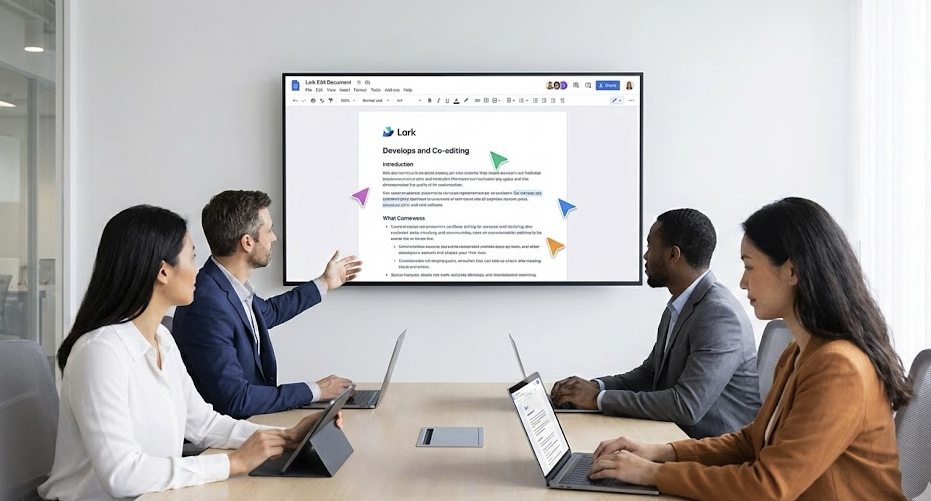
We have all sat through passive meetings where we stare at a blurry screen share. Lark introduces “Magic Share.” When you share a document in a Lark video call, participants can scroll through it and edit it independently inside the video window. It turns meetings into actual working sessions where things get done, rather than just talked about.
2. Lark Base: A Database, Not Just a Spreadsheet
We love Google Sheets for financial models, but using spreadsheets for project management can be a nightmare of broken formulas. Lark includes a feature called “Base.” It looks like a spreadsheet but acts like a robust database. You can view the same project data as a Grid, a Kanban board, or a Gantt chart instantly. It brings structure to our workflows without requiring anyone to learn code.
3. Seamless Global Translation
For our teams working across borders, language can sometimes slow down execution. Lark has built-in, real-time translation for chats and documents. You can type in English, and your colleague can read it in their native language instantly. It removes barriers and makes our global office feel a little smaller.
Solving the “Toggle Tax” Problem
The primary reason we are introducing the Lark productivity superapp as a complementary option is to solve the “toggle tax.” We all know the feeling: You are in a video meeting, trying to find a link buried in a chat thread, while simultaneously opening a spreadsheet to update a status. This constant switching costs us mental energy.
Lark challenges this by putting everything in one chat window. Imagine being able to turn a chat message into a task card with one click, or approving a budget request directly inside a message thread without logging into a different portal. By consolidating these actions, Lark reduces the noise and helps teams stay in the “flow state” longer.
Internal Resource: If you want to learn more about our current IT policies regarding new software, please check our Internal Software Guidelines Page.
How Google Workspace and Lark Work Together
It is important to reiterate that this is not a competition; it is a collaboration. Think of our tools like this:
-
Google Workspace is for deep work, official documents, and external communication. It is our secure archive and our primary identity.
-
The Lark productivity superapp is for high-speed collaboration, internal project tracking, and quick decisions.
Ready to Explore?
We have enabled access to Lark for everyone in the organization. If your team feels the friction of “app overload,” or if you are just curious to see if a superapp can streamline your day, we encourage you to download it and poke around.
Try moving one internal project chat over to Lark and see if it speeds up your workflow. We are excited to see what you build with it.